Harness Design seriesArticle no. 11
Harness Design in Practice: How to Unblock the Screen Queue When There Aren't Enough Designers
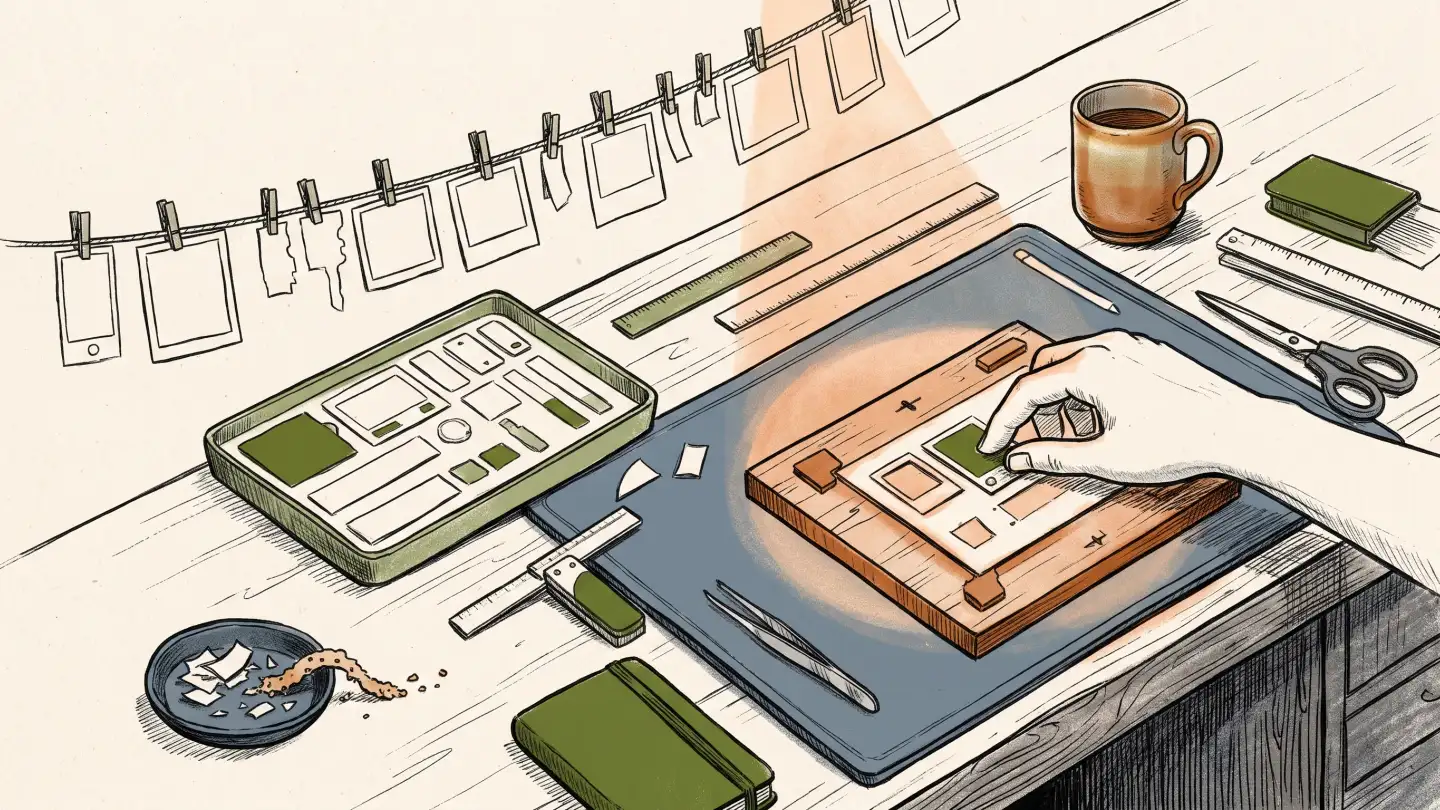
This article tells how we applied Harness Design to a very practical problem at Prolog, the company where I work: there are a lot of screens to make and few designers to make them. Harness Design is the discipline of giving AI the context, the criteria and the decisions the design team has already made, so it produces with direction instead of improvising. Here, that became a tool that generates screen prototypes with AI support, following our decisions. It is called design-draft.
I will explain the context, the problem, what we solved and how it works. The numbers and the technical detail are in the Appendix at the end, for anyone who wants to go deeper. One term that shows up a lot: Glorp is Prolog's design system.
The problem: the screen queue
With AI, the people who write code got much faster. But before anyone writes code, someone has to understand the problem and design the solution, and that stage, which I call upstream, did not keep up. In Article 2 I wrote that the acceleration of engineering created a bottleneck in design. At Prolog the math does not work: there are more screens to make than designers to draw them.
When the queue does not move, developers design the screen on their own, with help from AI. I would do the same in their place. The problem is the result. I ran a simple test: I asked for a list with detail, edit and delete without giving any rules, and in 13 decisions the AI chose differently from what the product adopts. It copies the code it finds, and the code of an old product mixes right and wrong. Without someone saying which is which, it guesses. (Appendix B explains this test and the caveat it deserves.)
Today the prototype repository has 71 of them, saved by 14 people, and only a small share comes from designers. The demand exists and it will not wait.
Two fronts, one short and one long
I was already working on a long-term answer, which I described in the previous articles: tokens and components prepared for AI to read, with a command-line tool inspired by Astryx, the design system that Meta opened up. It is the right approach and it keeps moving, but it is heavy. In a legacy product, the components were scattered across different repositories, and the project is not worked on full time. It does not deliver in the short term.
So I opened a second front, to deliver something useful now: skills for Claude Code. A skill is a package of instructions it follows on a specific task. The two fronts use Harness Design in different ways. On the components front, I build from the bottom up: each token and each component gets documentation saying when to use it and when to avoid it. On the skills front, I go from the top down: I looked at the screens that already exist in the product, separated what is right from what is wrong and turned that into rules. Each helps the other, because what we decide in the skills flows back into the work on the components.
The tool: screen prototypes guided by Harness Design
The first skill is design-draft. You describe a screen or a feature, in a text or in a task, and you get a clickable mid-fidelity prototype: more detailed than a sketch, less than the final screen. In the tests I timed, a new flow took 12 to 27 minutes to be ready and checked. That time is the AI's, and I did not measure how long a designer would take for the same request.
The first version was created by Gustavo Navarro, our engineering manager, with Kas, in early June. It started as a generator of gray sketches. I picked the skill up afterward and kept improving it, and Gabriel Tavares also contributed.
To be fast, it does not use the real React and Flutter components. I asked Claude to copy the necessary components into a lightweight HTML and CSS version. In practice, it is a second version of the design system, made for the skill. We call this set of pieces the kit. That has a cost I need to state: the copy can drift from what is in production, and someone has to keep the two up to date.
The prototype comes out with several screens linked together, the product's sidebar and top bar, and the business and interface rules written as comments on each screen. The skill also draws the situations that tend to be forgotten: a field with an error, an empty list, a failed save, leaving without saving and missing permission. And it uses more than the design system. Usability heuristics, information architecture, interaction design and interface text come in, to get close to a designer who looks at the whole.
The images that follow are from a real delivery, the flow of a screen for managing a product's login banners. Inside a canvas, the space where the prototype appears, the AI places comments on each screen. Each comment says whether it came from the AI or from a person and what state it is in: to review, answered, accepted or rejected.
In the artboard view, the whole flow appears at once, with all the screens side by side.
And a button called Components shows, over each part of the screen, which Glorp piece was used. When the kit did not have the piece, the mark warns you. This helps to see where the screen relies on the design system and where it does not.
The review flow is simple. The developer generates the prototype, sends the artifact to a designer, the designer comments, and the comments go back to the developer through Claude Code itself. This speeds up review for developers, designers, product managers and whoever else is in the process.
What makes the AI get it right: human decisions before it
design-draft does not invent criteria. It follows three curation efforts done by people, and this is where Harness Design really happens.
The first is the screen patterns. Glauber Franco and I surveyed how the product solves each type of screen and decided what is right. We ended up with 19 rules for the web and 15 for the app. For example, the detail of a record opens in a panel that slides in from the side, and deletion does not open a window in the middle of the screen. The second was a test with a real screen, which surfaced six points where the rule did not exist or contradicted itself, and we decided all of them. The third was reviewing, one by one, the components copied into the kit: 124 were approved and 10 discarded.
The rule I consider most important fits in one sentence: when the curation does not cover a case, the AI does not choose. It hands the case back as a question for a person.
Then comes a kind of gatekeeper. The assembler is a small piece of code that is part of the tool itself. It does not use AI and it is not another skill: it only follows written rules, always the same way. It assembles the prototype and rejects the screen when it breaks one of those rules, for example a button that goes nowhere, a component drawn by hand in place of one that already exists, or an emoji where there should be a Glorp icon. On top of that, the web screen is opened in the browser and checked.
Almost every rule of the gatekeeper was born from a real mistake. One example: the product's submenu, which opens on hover, disappeared halfway because the prototype carried an adjustment inherited from an old version. Today the menu belongs to the kit and no screen touches it, with a test just for that. The full table of mistakes is in Appendix D.
Where we use AI alone and where a designer comes in
Not every screen deserves the same design investment, and this is where we decide where to spend the designers' scarce time. The criterion is the risk to the customer experience.
Where the flow is critical for the product and for the people who use it, a designer works in the most traditional way: discovery, research, conversations with customers and the Double Diamond method, which alternates between opening up the problem and narrowing down the solution. Where the appetite for risk is higher, which includes internal features and products, we accept the risk of not allocating that work. There design-draft is used by non-designers, mainly developers, and the designer comes in if they see fit, as a consultant who reviews what another person or the AI did.
What changes for the designer
This arrangement shifts the designer's work toward curation. The designer becomes the person with the specialist knowledge to say what good design is and to turn that judgment into something the AI can follow.
In practice, the designer works on two layers at the same time. On one, they build the harness: the rules, the criteria and the approved pieces that make the AI design well. On the other, they review the design that another person or the AI produced, and each review feeds back into the harness. It is a continuous flow, in which reviewing improves the foundation and the foundation improves the next screen.
The Harness Design manifesto asks who answers for what was produced. In this arrangement the answer has a name: whoever curated the rule and whoever judges the review. The AI generates and checks, and the decision about what counts as the product's standard stays with a person.
The place where this will live is GlorpLabs, the internal platform we are building to handle the curation and maintenance of the design system and of Harness Design. The skills deliver now what GlorpLabs will deliver later. When it is more advanced, the idea is that design-draft will no longer be needed, because the knowledge and the harness will all be in there.
What this article does not solve
Improving the prototyping operation increases the chance that the screen comes out better. That does not guarantee we are building the right thing, or that it will generate revenue, or that customers want it. That is a product discovery subject, which is not the topic here. In this article I talk about the operational side of design: how to improve, speed up and scale the creation of screens and flows. In other articles I tell how we are scaling discovery and user research.
The other half of this operation is measuring whether a screen is good. That becomes a score from 0 to 100, and it is the topic of Article 12.
What I still don't know
I do not know how much of what design-draft produces the team accepts. When people's responses come back to the file, rejection is low (11 of 612 decided annotations), but they only came back in 20 of the 65 saved prototypes. I also do not know how long a designer would take for the same request, how many rounds of adjustment the real average takes, or whether the screen that gets built matches the prototype. In the only case checked so far, the code followed the contract, the document that says which component to use in each part of the screen, across the 11 components and the 22 rules. And I do not know whether what the non-designers are asking the tool for is what the product needs: they design the cards (the tasks) that the product has already prioritized, which does not prove the solution is right. The next weeks will answer part of this.
Technical appendix
This part is for anyone who wants the detail of the detail. It is not necessary to understand the article.
A. Who is creating screens
In the repository where the prototypes are stored there are 71 of them, saved by 14 people. I appear in 8. The other 13 people are not designers, and together they saved the vast majority of the prototypes. Almost all of them came from real tasks logged in Jira or ClickUp, the team's task management tools.
Two caveats about these numbers. The repository records the name of whoever saved the file, which is almost always whoever ran the tool, but not necessarily. And I did not measure whether these screens were approved, or whether they ended up being built.
B. The three curation efforts in detail
Screen patterns (Oct. 5). We surveyed how the product solves list, detail, form, deletion, filters and indicators, and decided what is right. We ended up with 19 rules for the web and 15 for the app. A few examples:
- The details of a record open in a panel that slides in from the side of the screen.
- The export button sits at the bottom of the table and should not appear in the screen header.
- Deleting does not open a window in the middle of the screen.
- In the app, the create button is a blue pill, an elongated button with rounded corners and text. The round button with a + sign is not used.
What motivated this curation was a test done the same day. On an ordinary request for a list with detail, edit and delete, the AI decided on its own at 6 points on the web and 7 in the app. By our rules, it got all 13 wrong. It put the export button in the screen header, opened deletion in a window in the middle of the screen and made up the width of the side panel, among other things.
There is a limit I need to state about that number. The people who defined what is right were Glauber and I, after looking at the code. The 13 errors measure the deviation from the rules we wrote ourselves. What the test shows is that the AI, without those rules, chooses differently from what the product wants. It chose differently because it copied what the code does, and the code of a legacy product mixes right and wrong. In Article 4 I wrote that Claude Code makes things up when it does not find them. Here I saw the complementary case: when it finds two answers in the code, it has no way to know which one is the product's decision.
Questions from the first test (Oct. 6). A test with a screen from the product's telemetry module surfaced 6 points where the rule did not exist or contradicted itself. To show that a screen is loading, the skill uses the spinning tire animation that Glorp already has, and not a skeleton, the gray drawing with the shape of the screen. We chose this because 71 of 99 screens with a table already did it that way. When a list has no create action, it stays without a create button, instead of getting an invented one.
Pieces (Oct. 15 to 19). I reviewed each component copied from React and Flutter into the HTML and CSS version and marked it as approved, discarded or approved with adjustment. 124 were released and 10 discarded, among them the breadcrumb (the navigation path at the top of the screen), the timeline and the split button. The notes became rules: a piece that is not on the list is not used. That approved list is the skill's kit of pieces. The curation also feeds the other front: what was decided here flows back into the work with the CLI, the tool that delivers the component documentation to the AI, and with the components' harness.
C. Questionnaire, assembler and tests
Before drawing, the skill answers a questionnaire of 17 questions about the screen, such as where the main action sits, where editing opens and how a deletion is confirmed. Each answer cites the curation rule that supports it. Then it assembles the screen from a ready-made template, already with the kit's pieces, swapping only text and data.
The assembler rejects the screen in more than 20 situations, divided into four groups:
- broken flow: a button that leads to a screen that does not exist, a screen on the map without a file, or a comment pointing to a nonexistent screen;
- screen pattern from the curation: the "Export" button or the record count in the screen header, or an old component that imitates the side drawer or the step-by-step wizard, instead of the kit's component;
- product bar and menu: the screen that draws its own sidebar or top bar, instead of using the product bar that the kit fits in, or the screen whose style touches the kit's menu (in the submenu, in the area where the mouse passes through, or in the bar's scrolling);
- brand: any emoji in the interface, because Prolog's brand forbids it. The check catches picture emojis, such as faces, objects and colored symbols. Simple symbols, like ✓ or ⚠, pass.
The assembler also checks that the kit itself is intact, for example whether the product bar file exists.
Each web screen must be opened in the browser at 1366 by 700 pixels, the size of an ordinary laptop screen, and checked before going to approval. When the session has no browser available, the skill cannot check and is required to declare "not visually checked", with the reason.
When the prototype creates a new module in the side menu, an automated test moves the mouse diagonally toward the submenu, to make sure it does not close on the way. The test takes about a minute. Without the automated browser, it is skipped, and the rule tells the person to move the mouse to the submenu by hand before approval. The kit has 16 test files, and the default test runs 13 of them at once. The submenu test stays out and runs separately.
On new screens, the skill also does three reviews before asking for approval, design, text and accessibility, and fixes what is cheap.
D. Usage mistakes that became rules
| What went wrong | What changed | | --- | --- | | An agent said a product screen did not exist, and it did (Sept. 23) | When the search says "not found", the skill searches again before believing it | | A prototype was rejected because the skill used an outdated copy of the product code, 1,136 changes behind the version in use (Oct. 5) | Before drawing, the skill checks that the copy is up to date | | A 30-screen prototype drew by hand filters, panels and charts that already existed as a component (Oct. 6) | Using the kit's piece became mandatory, and what is drawn by hand to imitate a component is rejected | | The list already opened with selected rows, and test buttons, like "simulate error", appeared on the screens | The list opens without selection, and selection got its own screen. Only buttons the product will have appear | | The submenu closed halfway along the mouse path because of an adjustment inherited from an old prototype (Oct. 8) | The menu behavior became the kit's, never the screen's, with its own test |
Each mistake becomes a written rule, and each rule is locked by an automated test so the mistake does not come back.
E. What the comparative tests showed
Sept. 23: sketch versus prototype. I made the same request both ways, a gray sketch and a clickable prototype. The prototype took 4 minutes longer (13 versus 9) and delivered 9 screens instead of 4 and 73 annotated rules instead of 26. Three of the extra screens nobody had asked for: a field with an error, discard changes and failed save. That decided the switch to the prototype.
Oct. 6: three versions of the skill. I compared three versions, each made by a fresh agent that could not see the previous ones, with the count done by a program. I repeated the measurement afterward and the result came out the same. The program counts a screen as "made with kit pieces" when it loads the style of those pieces. It was 0 of 30 screens in the first version, 28 of 29 in the second and 32 of 32 in the current one. Elements drawn by hand to imitate a component: 393, 0 and 0. Assembler warnings: 8, 8 and 0.
That number needs context. The assembler rejects imitation, so the 32 of 32 is guaranteed by the rule. It shows that the rule works. Whether the screen turned out good for the people who use it, that number does not say. And loading the pieces' style does not mean every component on the screen is a real piece: in the current version, 68 of the 358 marked areas ended up as "no piece captured", and the screen says so.
Oct. 13 and 14: unifying two tools. We unified two similar tools and timed 24 rounds before and after. The new version generated more screens (from 8 to 13) and 8 times more review findings, with 40% more time until approval. This comes from a single request and should not be read as a general rule.
Times. A new flow from a task took 12 to 27 minutes between the request and the checked prototype. An adjustment to an existing screen took 6 to 21 minutes. All of these times are the AI's.
F. How much of what the skill produces the team accepts
Of the 65 prototypes with annotations stored in the repository, which add up to 3,063 annotations, 2,435 (79%) are still marked "to review", 601 (20%) were accepted, 16 answered and 11 rejected. This happens because people's responses only came back to the stored files in 20 of the 65 prototypes. Among the decided annotations (accepted and rejected, 612 in total), rejection is low: 11. Even so, the number does not say how much was really accepted in the other 45 prototypes.