Post
How I used AI with a team at the NASA Hackathon to create an MVP in 32 hours
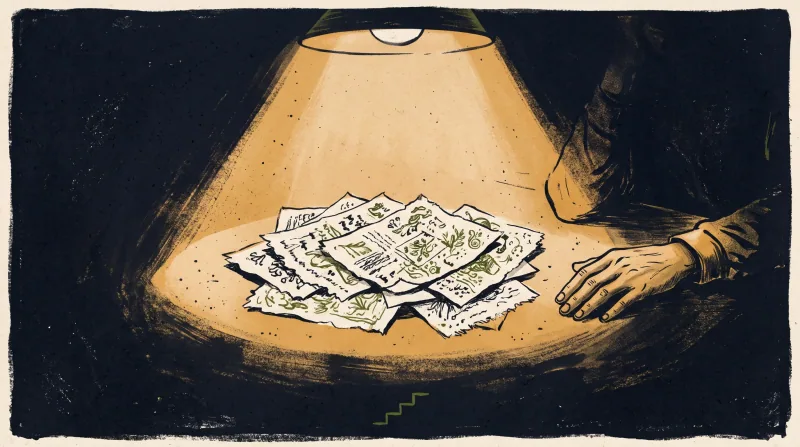
I recently took part in the largest Hackathon in the world, the NASA Space Apps Challenge, an intense 32-hour event to create a solution with real impact, with no commercial purpose, focused on people and the environment.
How the process unfolded
- Nobody on the team knew each other. So we started by talking, to build empathy and understand each person's skills: how we could contribute and how that connected to NASA's challenges.
- We identified skills in Software Development, Business, Hardware, Space Science, Design, and Product.
- We ran an initial brainstorm to choose a real problem to solve, all still in the first conversation.
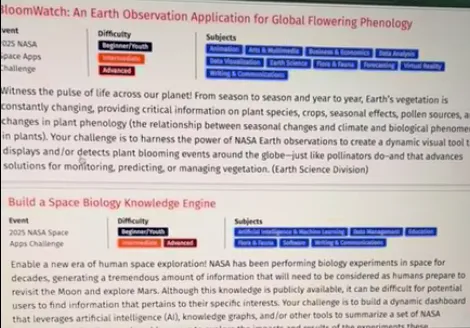
- We defined which of the event's challenges our idea fit into. From there, we discussed what the expected user experience would be and what users could do when they entered the system.
- We created a simple sketch, with only four steps, so that anyone could get the information they needed quickly.
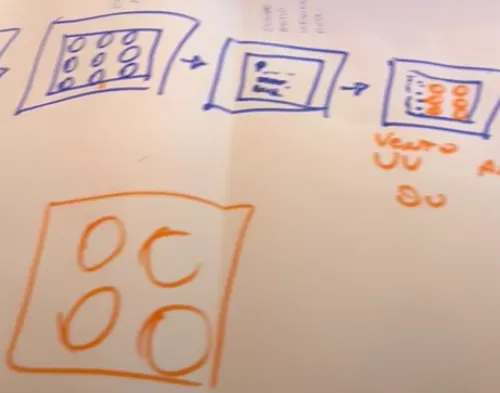
Meanwhile, part of the team used AIs (Claude and Genspark) to process all the ideas coming from the conversations, the brainstorm, and the challenge description. Everything happened in parallel: while we drew the journey on paper, another teammate generated visual ideas in Genspark.
Then a teammate created the pitch for the idea (with help from ChatGPT). Everything was shared in a WhatsApp group. After that, another teammate took that pitch and generated detailed documentation in Genspark about what the system could do.
I started to refine the visual ideas in FigJam, creating prompts for each screen. Another teammate, with Claude, structured a complete prompt with the four screens, describing what each one should solve.
Meanwhile, the team's developer studied with Claude how to integrate images and prompts for another AI to interpret and generate the front end.
With everything structured, I prepared a document with the prompt for the four screens and the corresponding images (Screen 1, 2, 3, and 4) to be used in v0.dev and in Lovable.
In the first version, v0 did better, so we chose to continue with it, hosting the project on Vercel. Development would be done in Cursor, integrating the front end generated by v0 with the back end and the NASA APIs.
The back end was challenging, since we were learning to use Cursor.
At night, we realized that we had not defined a method for updating the front end in v0 without breaking the code in Cursor. When we updated the front end, the code in Cursor broke, and we lost time rolling back versions.
We learned that we should have defined this flow right at the start, understanding how the AIs would complement each other. That way, we could work on the front end and back end separately before putting everything together.
The integrations were done in Cursor, with constant help from Claude (which, of course, froze and hallucinated several times). Meanwhile, the rest of the team improved the presentation pitch.
Using Claude and Figjam I created a few personas to help keep focus on who we were trying to solve the problems for, and this work contributed to the narrative we were going to build about the project. I created the images using Chat GPT 5.
To avoid new errors and make use of credits I had, I decided to recreate the whole flow and the interfaces in Lovable. But first, I wanted to improve the user experience as a whole.
As a designer, I analyzed all the v0 screens in FigJam, created a screenflow, and did a critical evaluation of what needed to be improved.
In FigJam, I cut steps and made the communication simpler and more practical, so that users could decide clearly how to leave home for outdoor activities without compromising their health.
In the final moments, we focused on filling out the project form on the NASA website.
At the end of the second day, we presented the project to the event's mentors and received a lot of valuable feedback.
We rushed to fix the points raised and, finally, delivered the complete project.
How the final interface turned out, built entirely in Lovable: https://responsive-grid-recreation.lovable.app/
I also created a landing page for the project, also in Lovable: https://responsive-grid-recreation.lovable.app/
What we did well
- Fast decision-making
- Agile collaboration between design, engineering, and product
- A simple, clear, and collaborative user journey
- Focus on solving a lean, working flow
- Use of AIs to generate, structure, and validate ideas
- Building a front end in minutes with AI tools
Key lessons
- Spend more time evaluating the problem and understanding whose problem it is (persona, journey, and moment).
- Define someone responsible for coordinating the team and ensure focus and cohesion.
- Study the challenges in more depth before starting to create.
- Look for problems that are real, clear, and measurable.
- Have clarity about who is affected and how the solution creates impact.
- Invest more time framing the problem and demonstrating the social or environmental impact.
- Create a more powerful narrative about how the solution improves people's lives and the environment.
- Understand that AIs hallucinate when they receive too much data.
- Know how to create better, more contextual prompts.
- Structure the workflow between AIs, front end, and back end from the start.